Data Bridge for Exact Online


Your Exact Online data as a normalized REST API and an MCP server for AI tools: read customers, contacts, items, sales invoices and general-ledger accounts, with the access of every key decided per data type and administration.
Where it lives
Data Bridge is an app of the Exact Gateway portal at https://apps.mvdw-software.com/exact/data-bridge/. Your account, organization, subscription and the connection to Exact Online live in the portal; this app exposes the data.
Why
Exact Online has an API, but it is an OData API: a separate endpoint per object, Exact's field names and shapes, a token dance, and no way to say this script may read customers but nothing else. Integrations end up with a pile of glue code and a token that can read everything. And AI tools, Claude, ChatGPT, your own agent, cannot log in to Exact at all.
Data Bridge puts a normalized, permissioned API in front of Exact:
- one API for all data types: customers, contacts, items, sales invoices, general-ledger accounts, with
stable, readable field names (
accountId,invoiceDate, …) and the same shape on every endpoint; - per-key grants: every API key gets exactly the access it needs, per data type, per READ / WRITE / DELETE level, and per administration (division);
- an MCP server with the same grants, so an AI tool can look up a customer or an invoice through the standard Model Context Protocol, after an administrator approves it with OAuth 2.1;
- metering and an opt-in cache so you can see what your integrations call and keep Exact's rate limits out of the way.
Your integration never sees an Exact password or token. The portal's broker hands Data Bridge a short-lived access token per call, and your key or OAuth token is checked against its grants on every request.
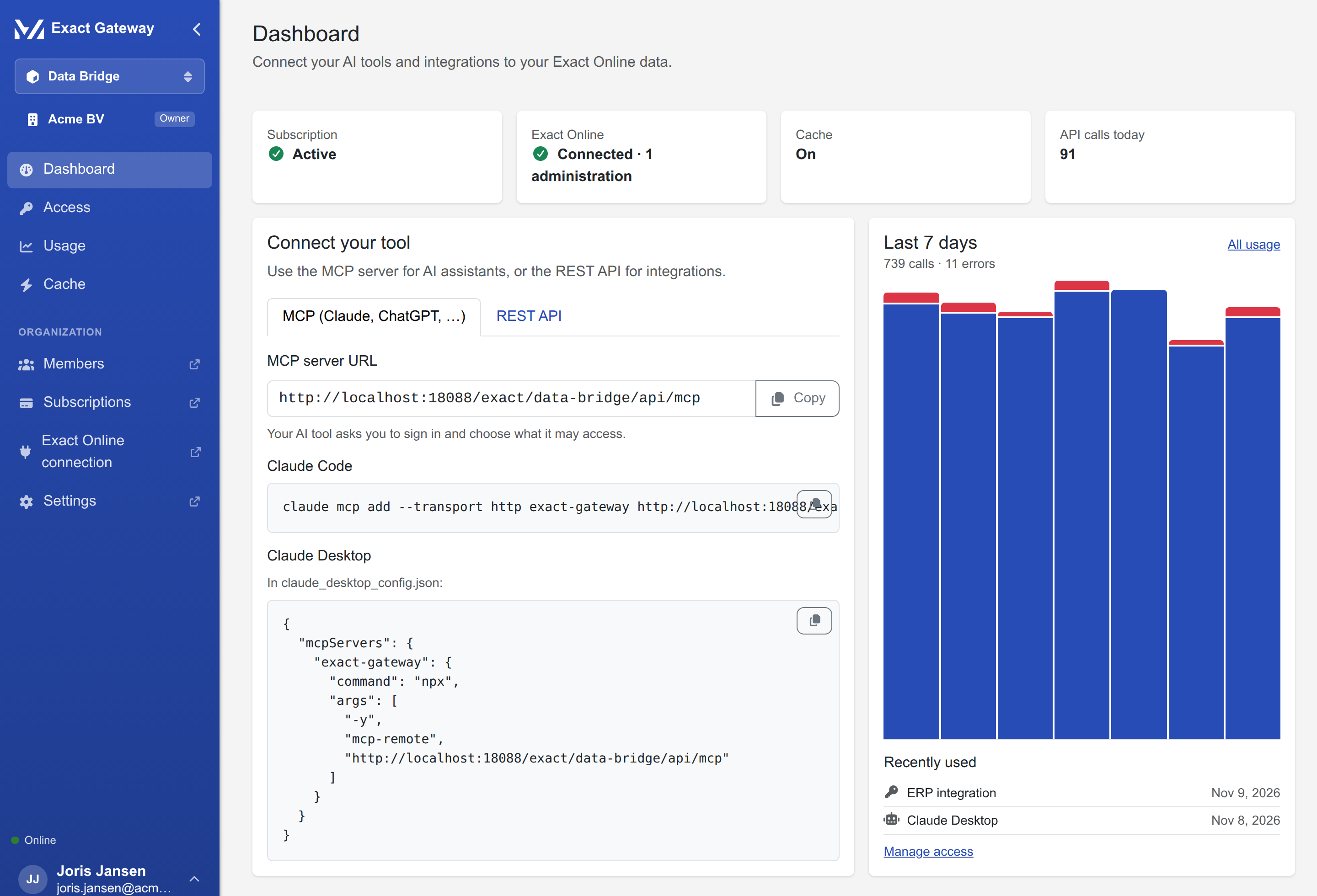
The dashboard with the quick start:
How it fits together
flowchart TB
    subgraph tools ["Your side"]
        A["AI tools (Claude, ChatGPT, …)"]
        S["integrations and scripts"]
    end
    subgraph app ["Data Bridge"]
        M["MCP server (OAuth 2.1)"]
        R["REST API (API key)"]
        P["access policy: grants per key,<br/>data type and administration"]
    end
    subgraph exact ["Exact Online (via the portal's connection)"]
        D["accounts, contacts, items,<br/>sales invoices, G/L accounts"]
    end

    A -- "MCP tools, filtered by the OAuth grants" --> M
    S -- "GET /v1/divisions/:division/:resource" --> R
    M --> P
    R --> P
    P -- "short-lived token per call (10 min, memory only)" --> D
The organization signs in once in the portal, connects its Exact Online administration there (once per app), and enables the administrations the bridge may use. From then on, keys and connected apps are managed in the app itself.
What this documentation covers
| You want to… | Read |
|---|---|
| subscribe, connect Exact Online and create your first API key | Getting started |
| use the REST API, or connect an AI tool through MCP | Connect your tool |
| manage keys, read the usage and turn on the cache | Day to day |
| fix a 401, a 402, a denied grant or a failed MCP consent | Troubleshooting |