Day to day
Most days there is nothing to do: the keys and connected apps call the API, and the dashboard shows what happened. This page is the map of the app's four pages.
Dashboard
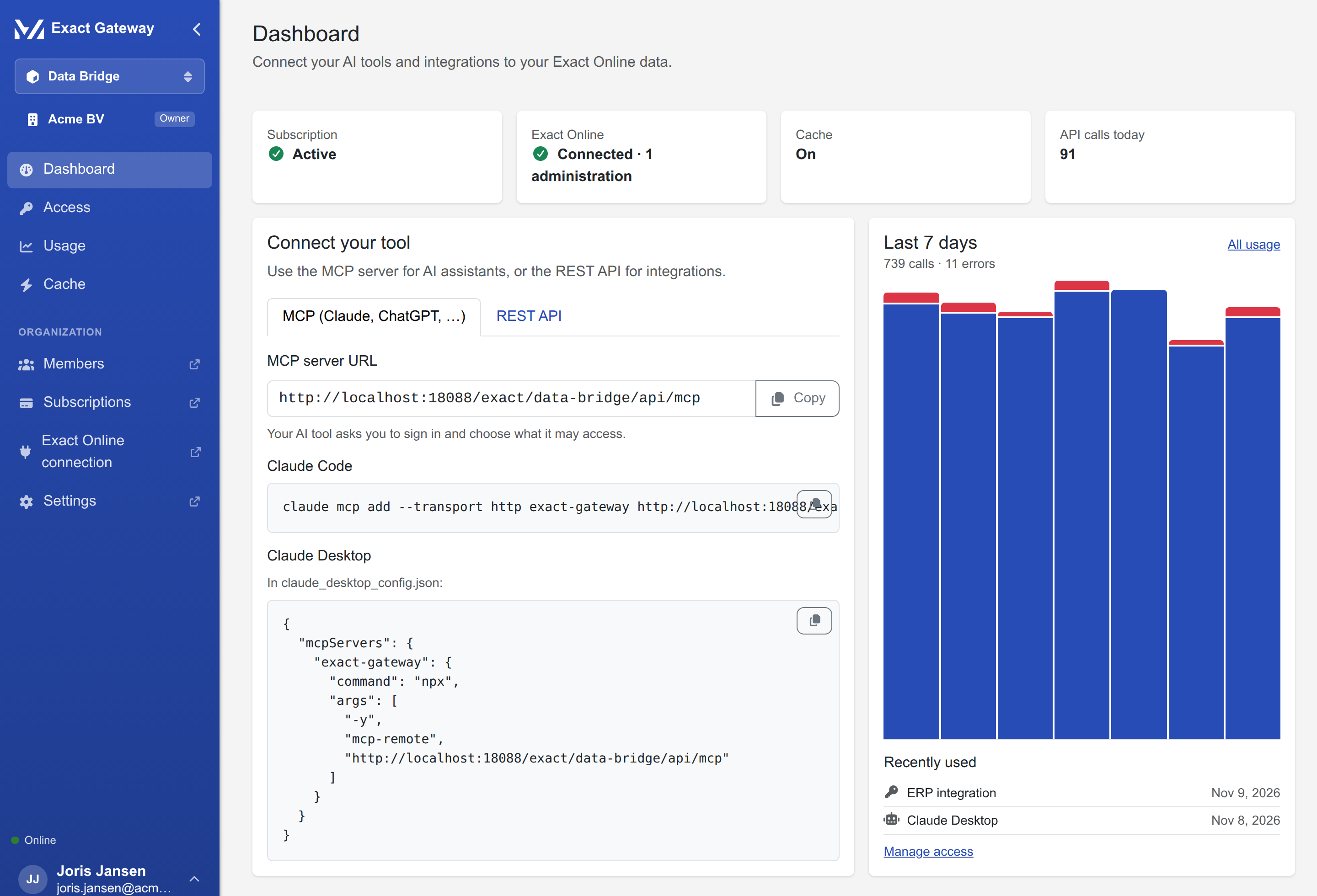
| What | What it tells you |
|---|---|
| Subscription | active, links to the portal's subscription page |
| Exact connection | connected, with the number of enabled administrations, links to the portal's connection page |
| Cache | on or off, links to the Cache page |
| Calls today | the day's API calls, links to Usage |
| Connect your tool | the MCP and REST URLs with copy buttons, the Claude Code / Claude Desktop snippets, and a first curl |
| Recent activity | the last 7 days of calls and errors, and the most recently used keys and connected apps |
Until the organization has a key or a connected app, the Connect your tool card is the whole page, with Create API key as the primary action.
Access
The Access page has two tabs: API keys and Connected apps (the AI tools connected through OAuth).
- API keys: name, key hint, access (as chips, e.g. Read: all data, Write: 3 data types), administrations, last used, created by. New API key creates one; Revoke disables one (its consumers stop immediately). Show revoked keys lists the ones already revoked.
- Connected apps: client name, access, who authorized it, last used, Revoke.
Both tabs are readable for every member; only administrators create and revoke.
Usage
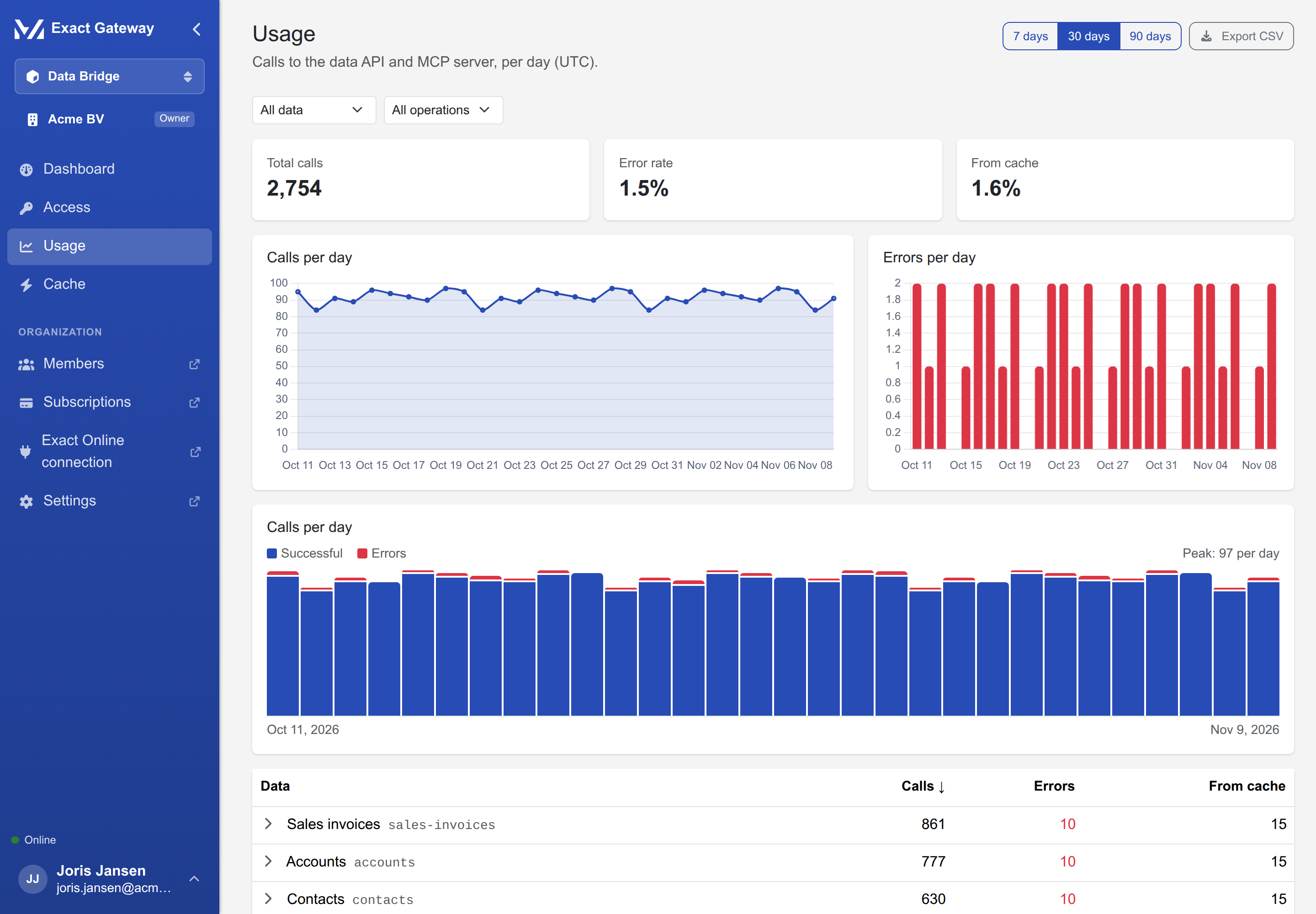
- Period: 7, 30 or 90 days; Export CSV downloads the table.
- Summary: total calls, error rate, cache hit rate.
- Calls per day: successful calls and errors, per day (UTC), with the daily peak.
- Per data type: the table grouped by resource, with the operations (list, get, …) and a breakdown; filter by data type and operation.
Usage appears within a minute of the first call.
Cache
One card: on/off switch, the keep-results time (up to 24 h) while on, Purge now (a confirmation, then a toast with the number of entries removed), and the security note in an info callout: the cache is encrypted, per organization, TTL-bounded, and is purged automatically when the Exact connection changes.