GitLab Sync for Exact Online

Book the time your team logs in GitLab as hours in Exact Online: one draft line per person, issue and day. Issues become WBS lines, and the approval status of the hours comes back in GitLab as labels.
Where it lives
GitLab Sync is an app of the Exact Gateway portal at https://apps.mvdw-software.com/exact/gitlab-sync/. Your account, organization, subscription and the connection to Exact Online live in the portal; this app syncs GitLab with it.
Why
Your developers log their time in GitLab, because that is where the work is. Your administration and the project's profitability live in Exact Online. Without a link, someone re-typing every hour by hand, and the booked hours drift from what was actually worked: the wrong person, the wrong project, or a day nobody logged.
GitLab Sync links a GitLab project to an Exact project and keeps them in step:
- every time log in GitLab (issue, merge request or the project itself) becomes a draft hour line in Exact, one line per person, issue and day, already on the right project and hour type;
- issues and milestones become WBS activities (and deliverables), so the work breakdown follows the GitLab structure;
- when someone submits, approves or rejects the hours in Exact, the label goes back to GitLab
(
exact::submitted,exact::approved,exact::rejected), and a rejection leaves an internal note; - people are matched automatically on their e-mail, so a time log booked by
@jdoelands on Jane's employee record without anyone doing anything.
Developers keep working in GitLab; administration approves the draft lines in Exact as usual.
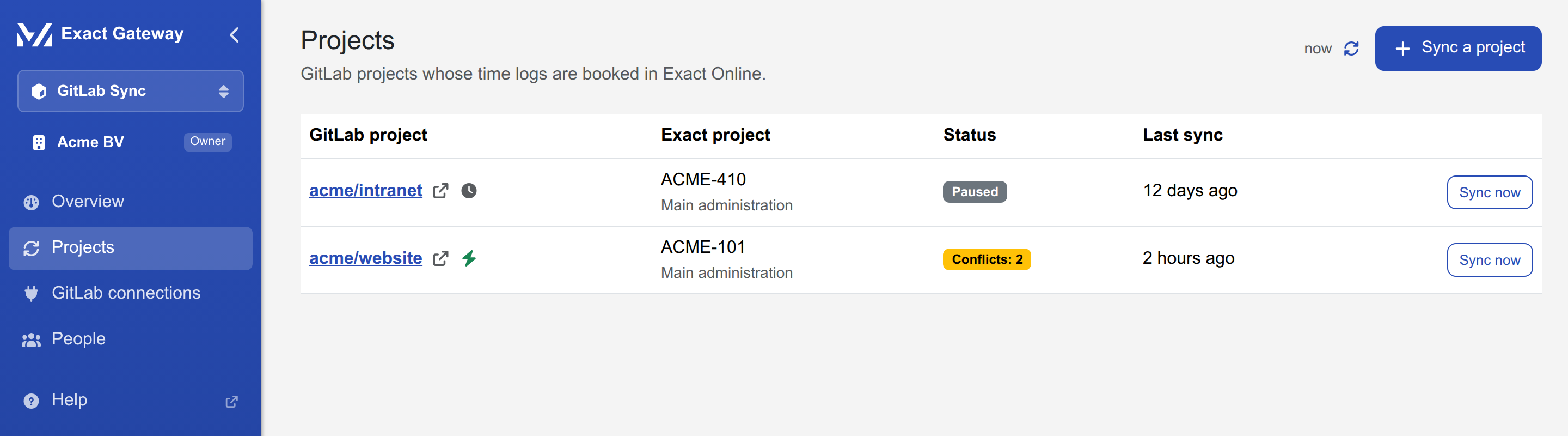
A linked project, syncing:
How it fits together
flowchart TB
    subgraph gl ["GitLab (gitlab.com or self-hosted)"]
        T["time logs on issues, merge requests, projects"]
        I["issues and milestones"]
        L["exact::submitted / approved / rejected labels"]
    end
    subgraph app ["GitLab Sync"]
        S["sync engine: every 15 minutes, per linked project"]
        M["people: GitLab user → Exact employee"]
    end
    subgraph exact ["Exact Online (via the portal's connection)"]
        H["draft hour lines, one per person, issue and day"]
        W["WBS activities and deliverables"]
        P["the linked Exact project"]
    end

    T -- "read" --> S
    I -- "read" --> S
    S -- "create / update draft lines" --> H
    S -- "create WBS lines" --> W
    P -- "existing, or created from GitLab" --> S
    H -- "status: submitted, approved, rejected" --> L
    M -- "match on e-mail" --> S
The organization signs in once in the portal, connects its Exact Online administration there (once per app), and adds a GitLab access token in GitLab Sync. From then on the sync runs on a schedule; a webhook makes it react within seconds when your GitLab can reach the internet.
What this documentation covers
| You want to… | Read |
|---|---|
| subscribe, connect Exact Online and add a GitLab token | Getting started |
| link a GitLab project to an Exact project, step by step | Link a project |
| understand what is synced, when, and what happens on conflicts | How the sync works |
| fix a failing token, a failing project or hours that do not appear | Troubleshooting |